
How can I create a Draft order with b2b prices?
If you want to create a draft order that has the prices defined in your b2b price configurations, you can follow the steps below.
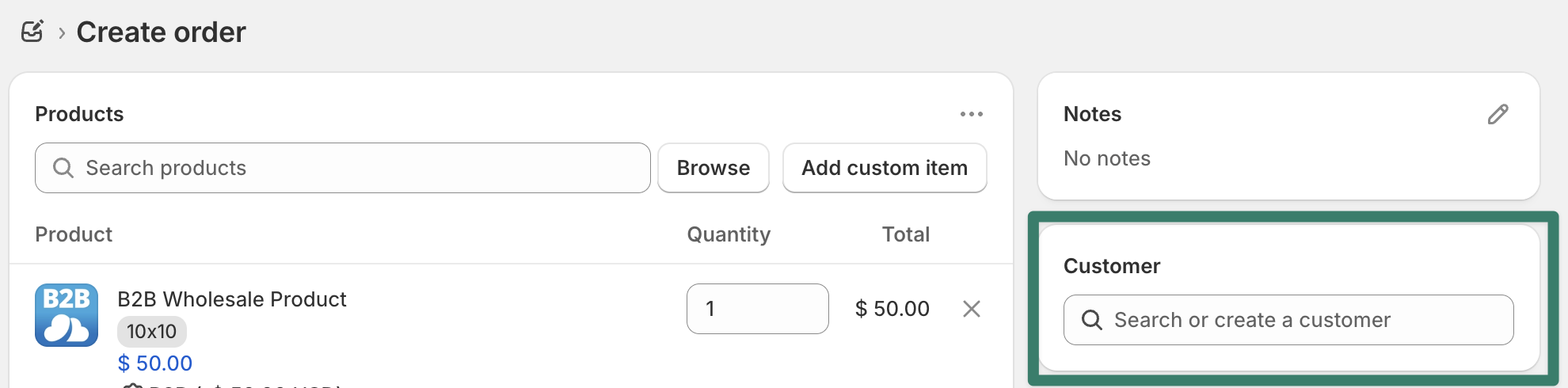
For discounts for specific customer, make sure to first select the customer in the Customer section:
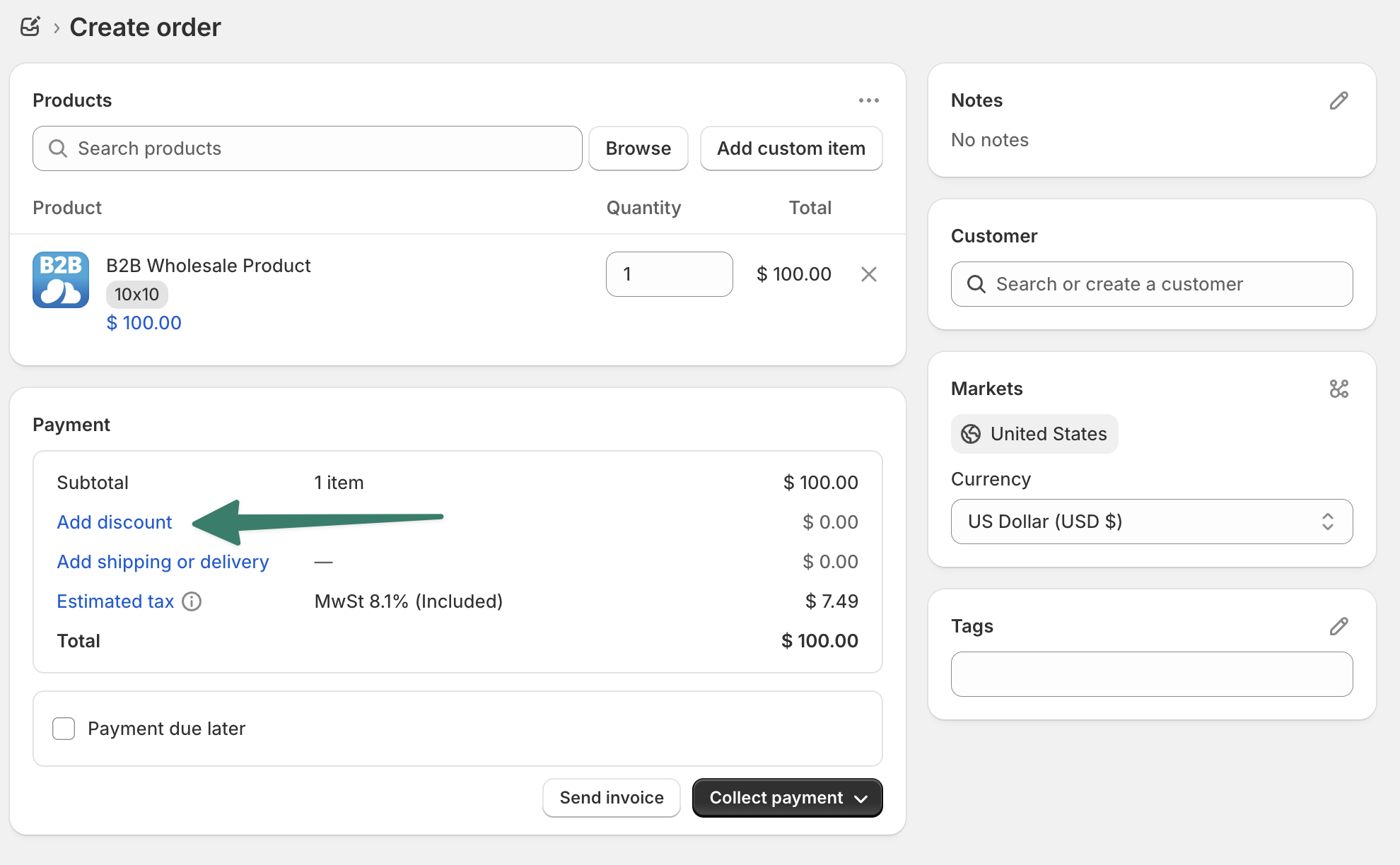
Next, in the payment section of the order draft order, click on "Add discount":
In the overlay > check the "Apply all eligible automatic discounts"
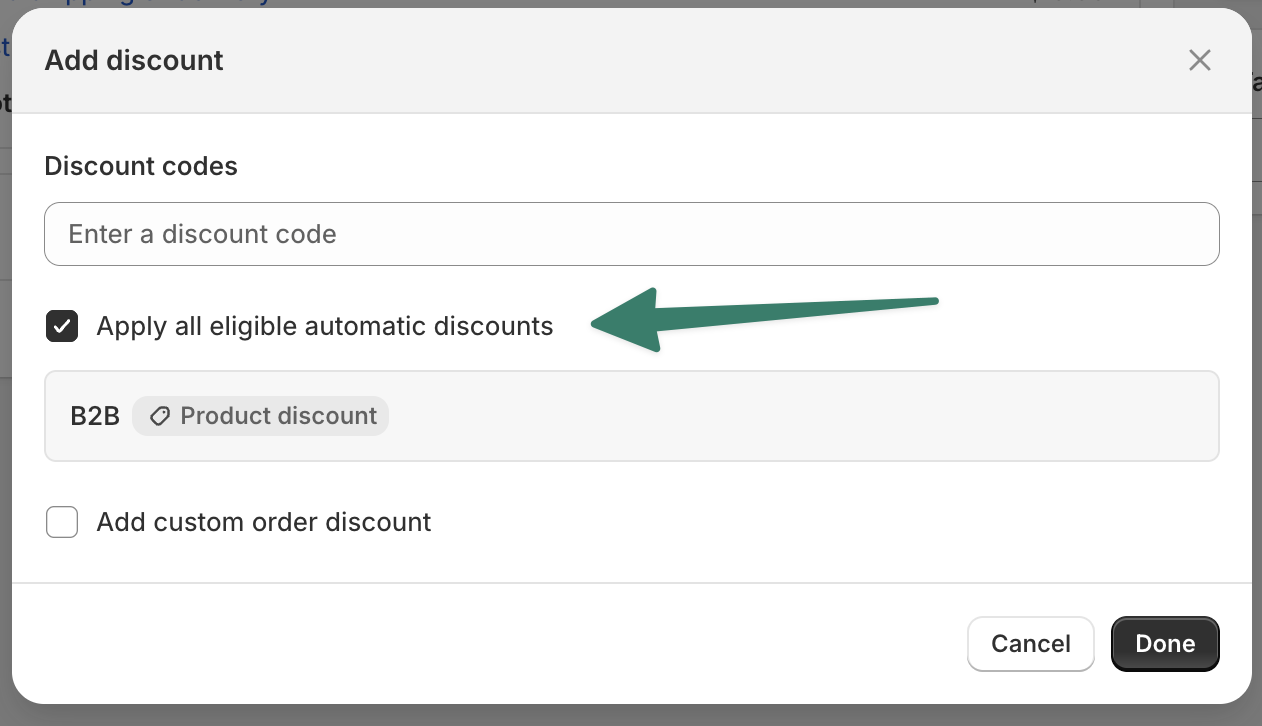
The eligible automatic discounts from the b2b app will be displayed and the order price will be updated.